 Cinette

Cinette
A fast, private IPTV player for macOS and Linux.
Add your M3U playlist or Xtream Codes account and watch live TV, movies and series in one app. It's open source, with no accounts, ads or tracking.
Version 0.8.0 for macOS 15 Sequoia or later. About This Mac in the Apple menu shows which chip your Mac has.
Version 0.8.0 for x86_64. Packages for Debian, Ubuntu and Fedora are under Download.
The iPhone and iPad app is on its way. Version 0.8.0 is out for macOS and Linux.
Version 0.8.0 is out for macOS and Linux. Windows and Android are planned.
Why Cinette
It's fast
The app is built in Rust with Tauri, which uses the web view your system already has instead of shipping its own copy of Chromium the way Electron apps do. Video plays through mpv with your computer's hardware decoder, and mpv draws it itself instead of handing it to the web page that holds the controls.
Playlists and TV guides are parsed in Rust and saved in a local database, and the app only downloads them again when they're due on the schedule you set. The channel list only draws the rows you can see, however long the playlist is.
It collects nothing
There are no accounts, ads, analytics or telemetry, and the developer gets no data from the app. Your playlists, logins, favorites and history stay on your computer.
You don't have to take that on trust. All of the code is on GitHub for anyone to read, every release is built from it by GitHub Actions, and the privacy policy lists each service the app talks to and what it sends.
You set it up your way
Choose how often each provider and its guide refresh. Pin, rename, reorder and create categories. Pick whether intros, recaps and credits are skipped automatically, with a button or not at all, and how far the back and forward buttons jump.
Set the default volume and hardware decoding, where downloads go, how many run at once and how long they're kept, and how early recordings start and how late they run.
Features
Your playlists
- M3U and M3U+ playlists from a URL or a file, and Xtream Codes accounts
- Several providers side by side, each refreshed on a schedule you choose
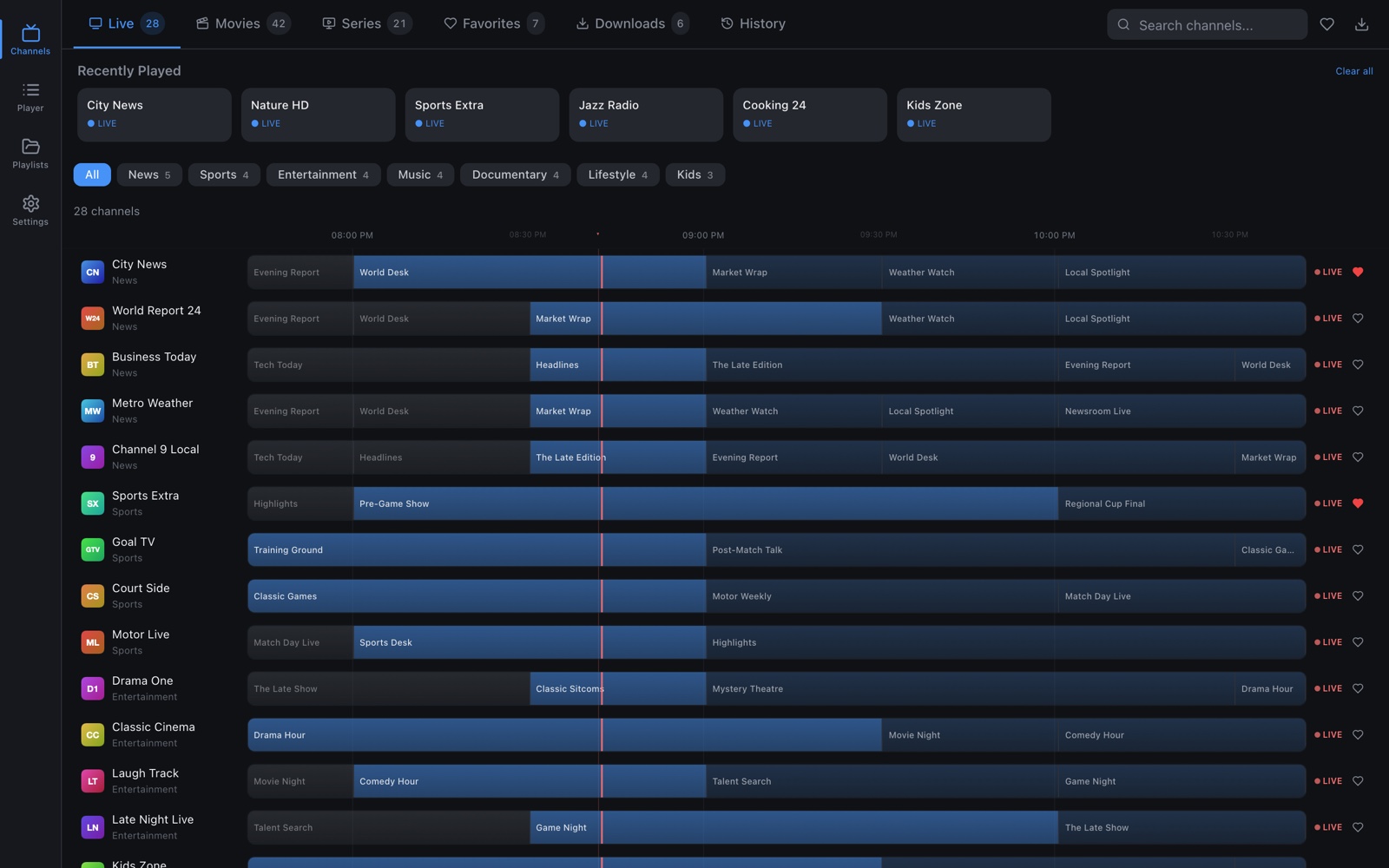
- XMLTV TV guide (EPG), shown as a timeline of what's on for each live channel
Browsing
- Separate tabs for live TV, movies and series, plus favorites, downloads and watch history
- Search by channel or title, and on live TV by program name
- Pin, rename, reorder and create categories, so a playlist with thousands of channels stays manageable
Playback
- Plays nearly every IPTV stream format, including HLS, MPEG-TS, RTMP and RTSP, through mpv with hardware decoding
- Reconnects on its own when the stream or your network drops, and picks up where it left off
- Resumes movies and episodes where you stopped, with next episode and autoplay for series
- Skips intros, recaps and credits with a button or automatically, using times from SkipDB and IntroDB
- Keyboard shortcuts for playback, which ? in the player lists
- Subtitles from OpenSubtitles, with timing and position adjustment
- Keeps your screen awake while you watch
More
- Download movies, episodes or whole seasons to watch offline
- Record a live channel now, a program from the guide or any time range
- Plot, cast and ratings for movies and series from OMDb
- Optional category sorting with Google Gemini
- Automatic updates
OpenSubtitles, OMDb and Gemini each need a free API key, which you add in Settings. Skip times need the OMDb key too.
Screenshots
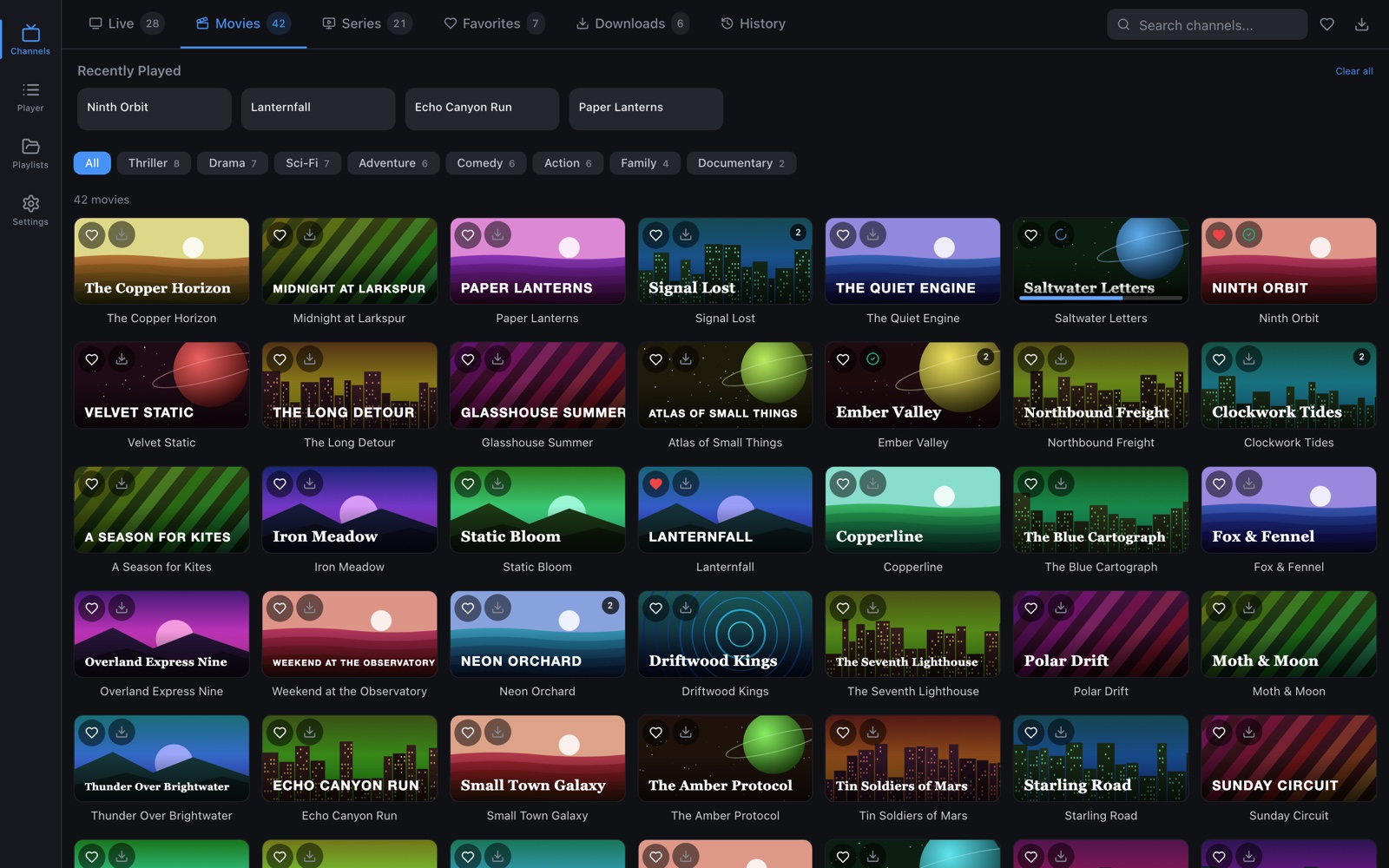
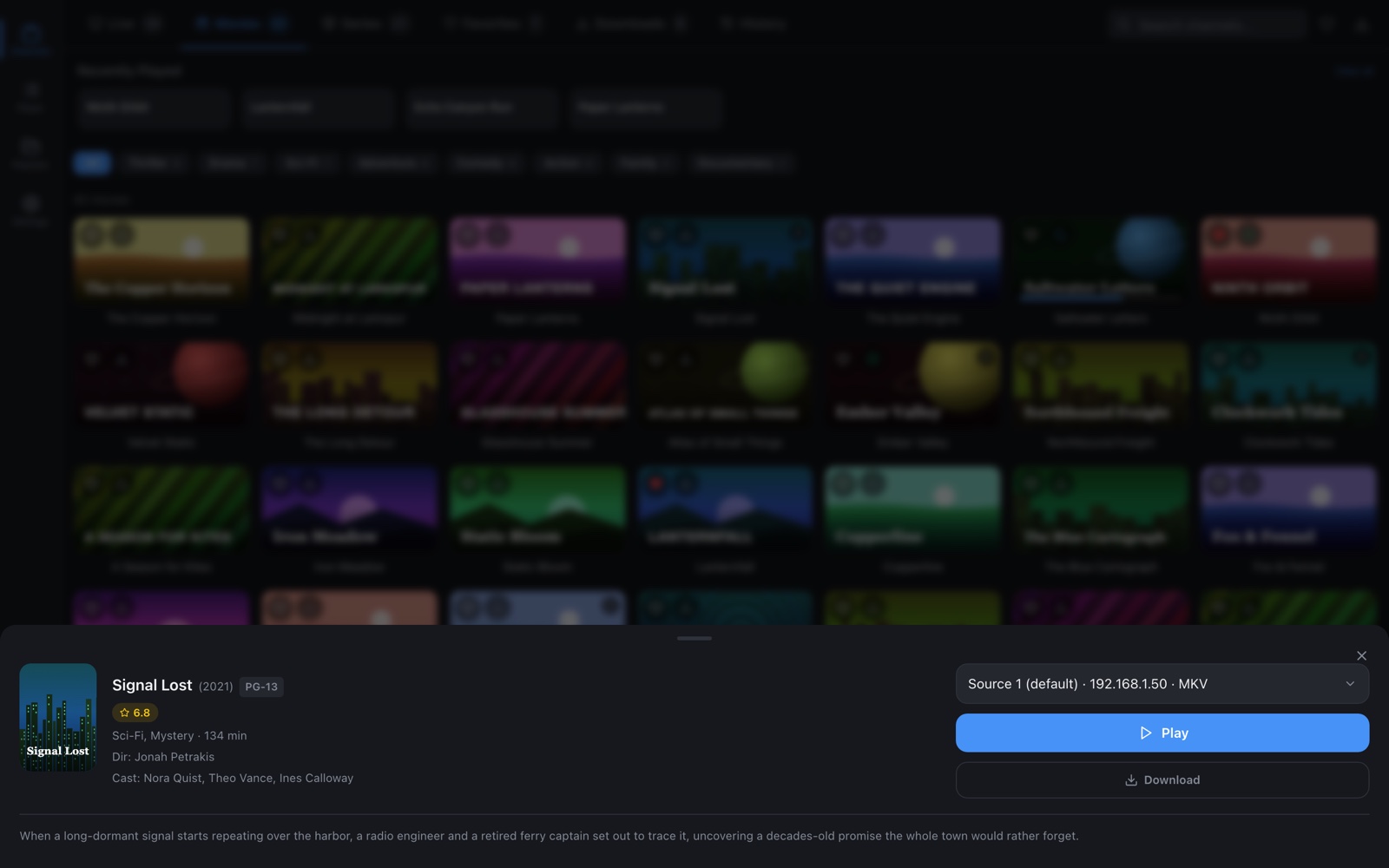
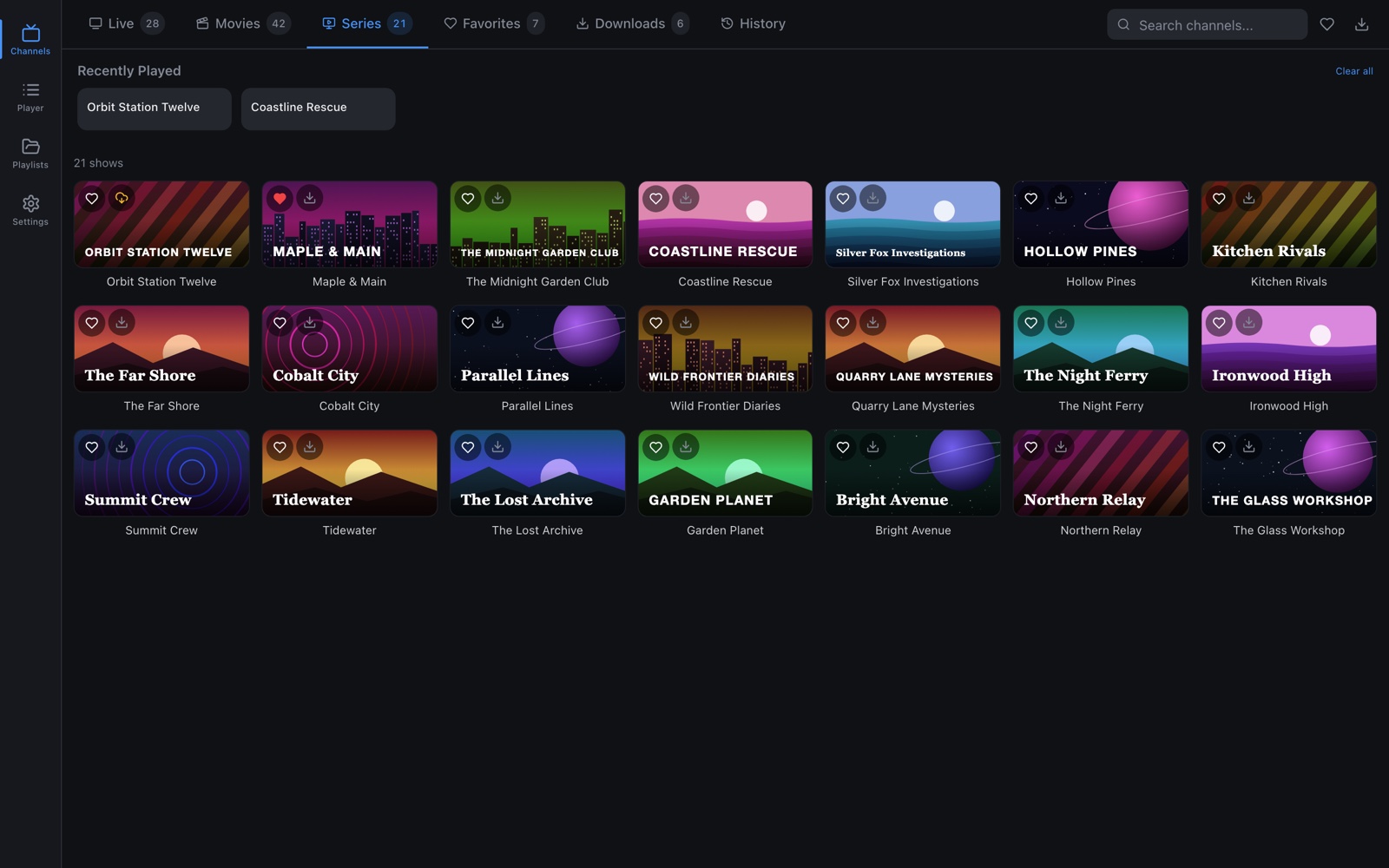
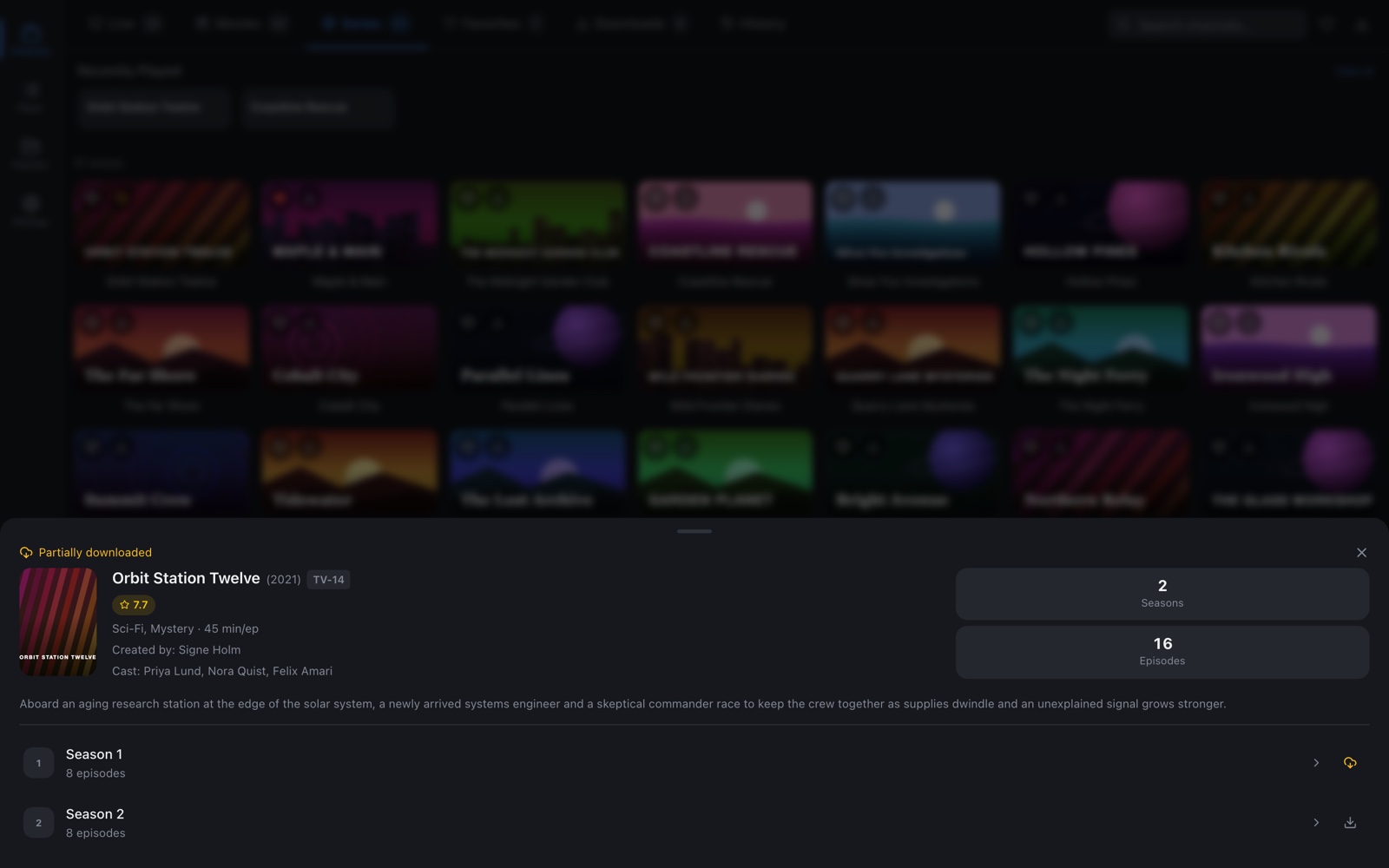
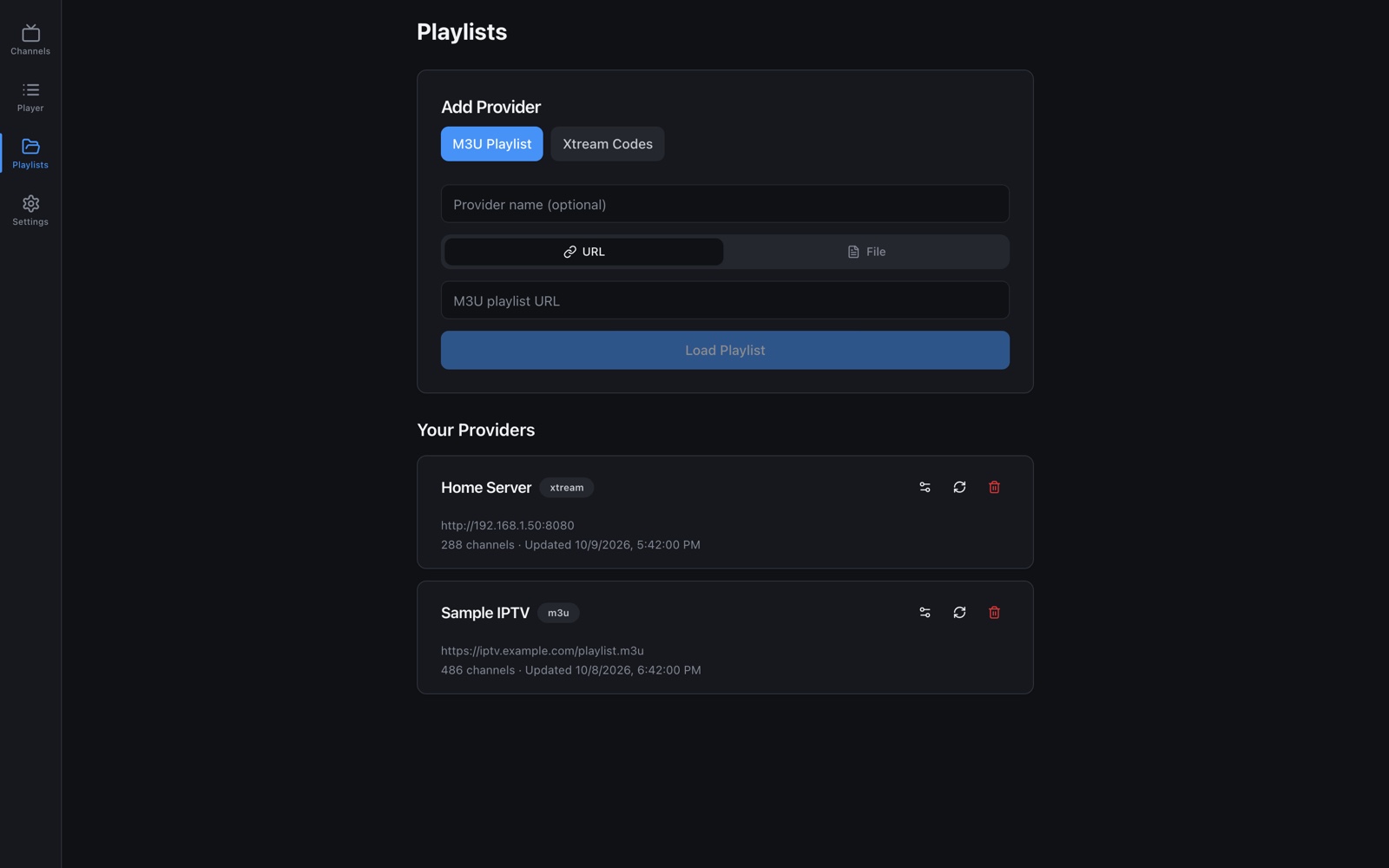
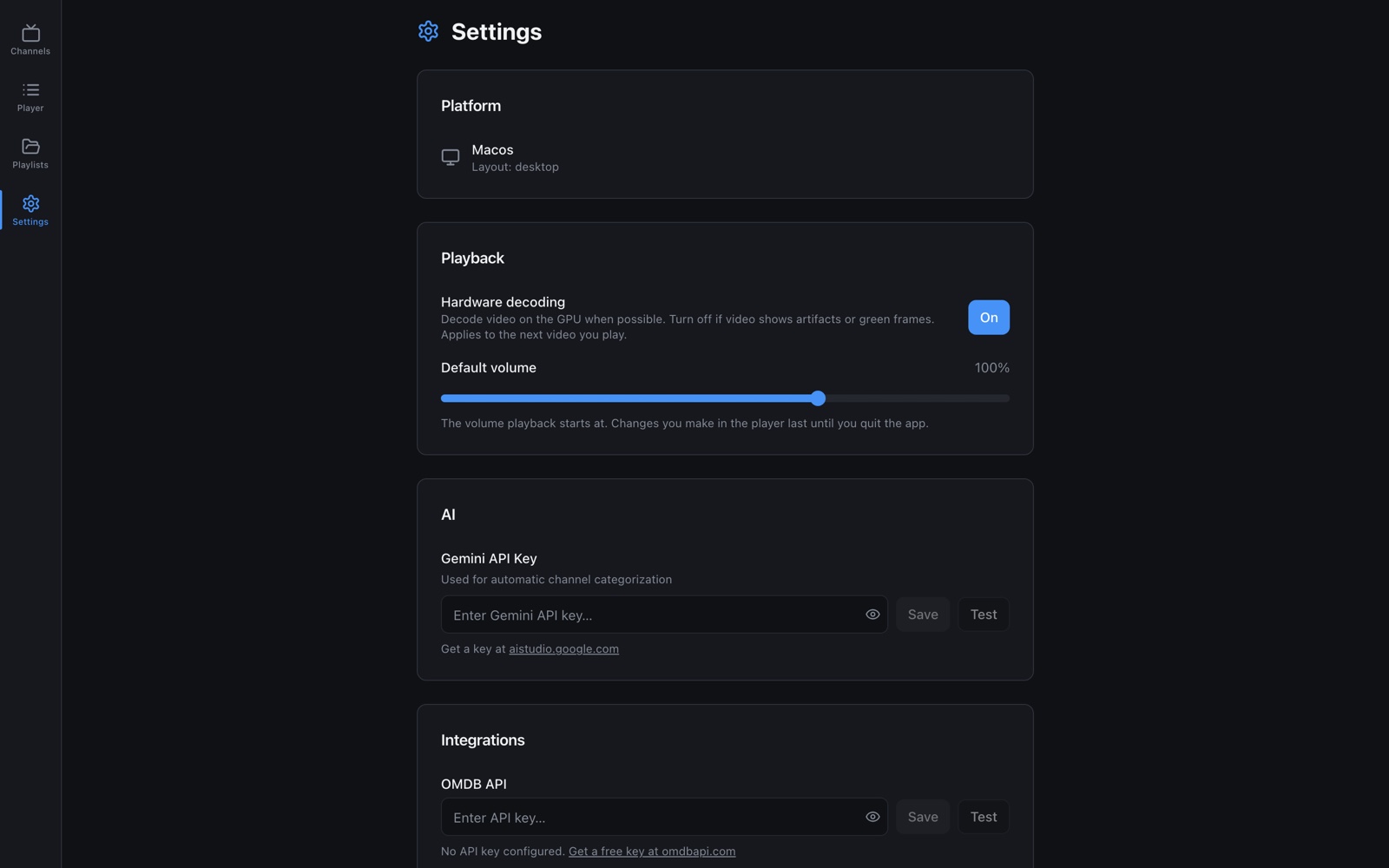
Screenshots use made-up channels and titles.
Download
macOS
macOS 15 Sequoia or later
Pick the build for your Mac's chip, which About This Mac shows.
Linux
x86_64
Other devices
Not out yet
- iPhone and iPadComing soon to the App Store
- WindowsPlanned
- Android and Fire TVPlanned
SHA-256 checksums
- Cinette_aarch64.dmg
9855f8e9f48e69d9637d134948b404b276e3a159a4c4b21bccd8c269f8ab71fd- Cinette_x64.dmg
2329dee6217c3c2b2f62a86772d14954e7acd440a740ba9e69ea5c3af0c23d85- Cinette_amd64.AppImage
147734753bdff7c23bde844356da290f5f97e44819fb4049e455b5c7baf64ab4- Cinette_amd64.deb
eda04867eedbd4880b0142cd24f679d179bee4b33021d29b4888c1669831f623- Cinette_x86_64.rpm
e3f86eb657fdab8556b3b6ae15c122694ecbe8d8fb62e5c7453dca372d81d824
These links always point at the newest version. Older versions and release notes are on the releases page, and the changelog lists what changed in each one. Once installed, the app updates itself.
There's no version for macOS 14 and earlier.
Installing
macOS
Open the DMG and drag Cinette into Applications.
macOS says the app can't be opened or is damaged
Releases that aren't notarized by Apple are blocked by Gatekeeper the first time you open them. To open the app anyway, follow these steps.
- Try to open Cinette once and close the warning.
- Open System Settings and go to Privacy & Security. Scroll down and click Open Anyway next to the message about Cinette.
- Confirm with your password or Touch ID.
If macOS says the app is damaged, run this in Terminal and open it again.
xattr -dr com.apple.quarantine /Applications/Cinette.appLinux AppImage
It includes libmpv, so there's nothing else to install.
chmod +x Cinette_amd64.AppImage
./Cinette_amd64.AppImage
The AppImage needs glibc 2.38 or later, which Ubuntu 24.04, Debian 13 and current Fedora releases have.
Debian and Ubuntu
sudo apt install ./Cinette_amd64.deb installs the app
and the libraries it needs, including libmpv. It needs Debian 12,
Ubuntu 24.04 or a later release.
Fedora
sudo dnf install ./Cinette_x86_64.rpm
Both packages need WebKitGTK 2.40 or later, which all of these releases have.
Ubuntu 22.04 and releases based on it, such as Linux Mint 21 and Pop!_OS 22.04, aren't supported. Their libmpv is too old for the app, and their glibc is too old for the AppImage.
Getting started
-
Open Playlists and add a provider. That can be an M3U URL, an M3U file, or an Xtream Codes server with your username and password.
-
If your playlist doesn't come with a TV guide, open the provider's settings and add an EPG (XMLTV) URL.
-
Go to Channels and pick something to watch.
Cinette doesn't come with any channels or content. You need a playlist from a provider you're allowed to use.
FAQ
Does Cinette collect any data?
No. There are no accounts, analytics or telemetry. The app connects to the providers you add, to GitHub to check for updates, and to OMDb, OpenSubtitles or Google Gemini only if you add a key for them. When OMDb finds a title, the app also fetches extra ratings for it from whatson-api, and times to skip from SkipDB and IntroDB. Your playlists, favorites and history stay in a database on your computer.
Where does the app keep its data?
In
~/Library/Application Support/app.cinette on macOS
and ~/.local/share/app.cinette on Linux. Downloads
go to the downloads folder inside it. Before 0.8.0,
these folders were named com.maxvideoplayer.app,
and the first launch of 0.8.0 renames them.
Is this the app that was called Max Video Player?
Yes. Max Video Player was renamed Cinette, and updating keeps your playlists, favorites, settings and downloads. They move to the folders above.
On a Mac, an update from inside the app keeps the old file name,
so the app is still called Max Video Player in Applications. You
can rename it to Cinette there. If you install Cinette from the
DMG instead, delete the old Max Video Player app. On Linux,
installing the
cinette package removes the
max-video-player package.
A stream won't play
Check whether the same URL plays in mpv or VLC. If it does, open a bug report with your OS and app version. Leave out your playlist URL and login details.
The app won't open on my Mac after updating to 0.5.0 or 0.5.1
Versions 0.5.0 and 0.5.1 crash at launch, before they can check for updates. Install the latest version over the old one. Your playlists and settings are kept.
Privacy
The app sends nothing to the developer. The privacy policy lists what it keeps on your device, which services it connects to and what it sends them.
This website has no cookies, analytics or scripts from other sites. GitHub Pages hosts it, so GitHub's privacy statement covers the requests your browser makes to it.
Contributing
Bug reports, ideas and pull requests are welcome. Read CONTRIBUTING.md to get started, and docs/development.md to build the app from source. Report security issues privately as described in SECURITY.md.
If you find the app useful, you can buy me a coffee.
Disclaimer
Cinette is only a player. It doesn't include, host, sell or link to any channels, playlists or streams. You add your own sources, and the author has no control over, and no knowledge of, what you add or watch.
The app is meant for content you have the legal right to watch, such as a service you subscribe to legally or streams you own. It isn't meant for pirated or otherwise illegally obtained content, and the author doesn't support using it that way.
You're responsible for what you play with it and for following the copyright and broadcasting laws where you live.
The app is provided as is, without warranty of any kind. As far as the law allows, the author and contributors aren't liable for any claim, damage or other loss arising from the app, from how anyone uses it, or from any content played with it. The license has the full terms, and NOTICE has the full legal notice.
License
Cinette is free software. Anyone can use it for any purpose, and you can study, change and share the code under the GNU General Public License version 3. Anything you distribute that's based on it has to use the same license and come with its source code.
The license has a few additional terms, which section 7 of the GPL allows.
- Modified versions have to keep the credit "Based on Cinette by Max Boksem" on their About screen.
- Modified versions need their own name and icon. The license grants no trademark rights in the Cinette or Max Video Player names or logos. See TRADEMARKS.md.
- The author's name and the names Cinette and Max Video Player can't be used to endorse or promote another product without permission. Accurate statements such as "based on Cinette" don't need it.
If you need other terms, for example to ship it in a closed-source product, a commercial license is available. Get in touch through github.com/MaxMB15.
Releases up to and including 0.5.3 were published under the PolyForm Noncommercial License 1.0.0.
Under either name, it's an independent project and isn't affiliated with MaxPlayer, Max, Warner Bros. Discovery, or any product with a similar name.